TeleTraff: How to run mass story views in Telegram?
Accounts view the stories of people from a chosen dataset. You can either walk through what is published right now, or keep targets under observation and pick up new stories as they appear.
The module overview lives on the story views page.
What you need before launch
Section titled “What you need before launch”- Accounts with proxies.
- A dataset of targets — the people whose stories you will view. See parsers.
How to launch
Section titled “How to launch”-
Choose the viewing cycle.
Cycle What it does Already published a single pass over what exists now, then the run ends Watch for new targets stay under observation for a set window, stories are picked up as they appear 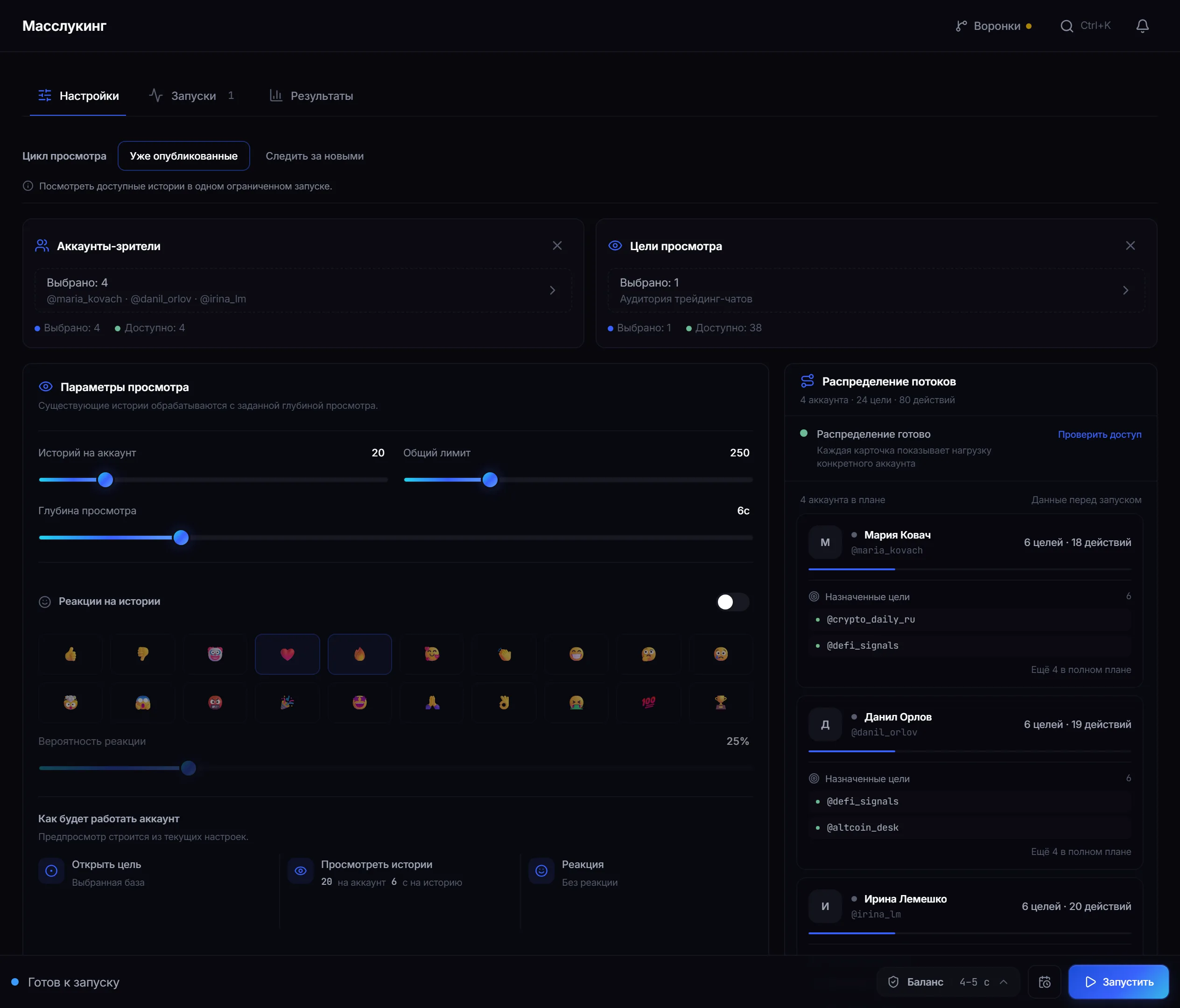
Settings: viewing cycle, limits, view depth and reactions to stories. -
Set limits and depth.
- Stories per account — how many views one account makes.
- Total limit — the ceiling for the whole run.
- View depth — seconds spent on a single story.
In watch mode an observation window and a check interval are added — the pause between passes over the target list when no new stories were found.
-
Decide whether you need reactions.
A separate toggle: without it the account simply views. The emoji set and the reaction probability are yours to choose.
-
Start it and check the result.
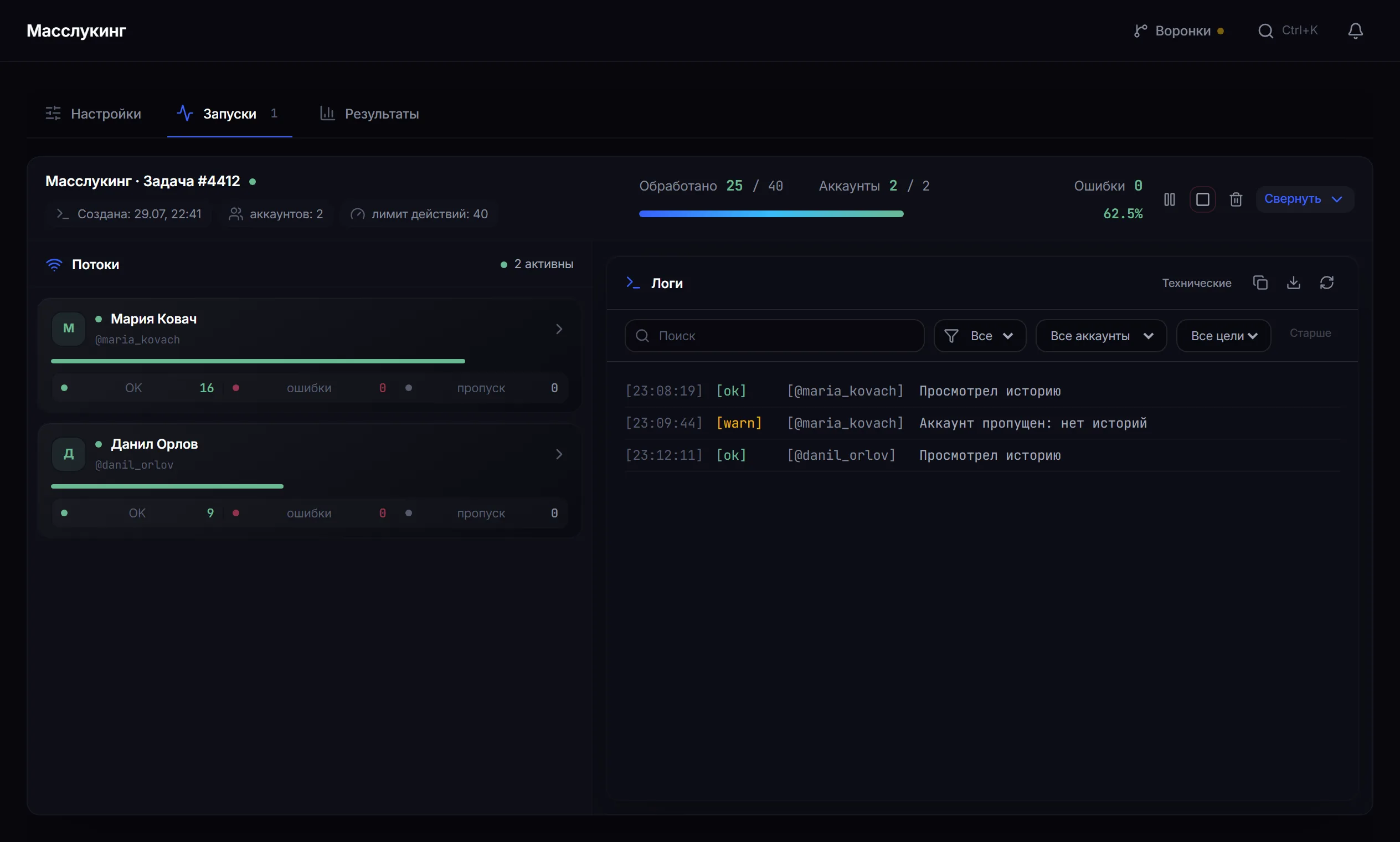
Runs: how many stories each account viewed and the event log.
Why view depth matters
Section titled “Why view depth matters”Depth is how many seconds an account keeps a story open.
Reactions to stories
Section titled “Reactions to stories”- A reaction is more visible than a view — the author gets a separate notification.
- A small probability works better: reacting to every story looks mechanical.
- A view is already a touch on its own; a reaction amplifies it.
A safe test run
Section titled “A safe test run”- Take two accounts and a dataset of 10 targets who definitely have stories.
- Mode — “already published”, depth — 3 seconds, reactions off.
- Run it and read the log: the skip reasons will show the quality of the dataset.
Why a target may have been skipped
Section titled “Why a target may have been skipped”- The user has no active stories.
- The story is unavailable to this account due to privacy settings.
- The per-account or total run limit was reached.
- Telegram asked to wait (FloodWait) — the thread pauses.
Common mistakes
Section titled “Common mistakes”| Mistake | What happens |
|---|---|
| Zero view depth for speed | the view looks mechanical |
| The whole total limit on one account | the load is not spread |
| A short observation window with rare stories | there will be nothing to watch |
| Reactions on one hundred per cent of stories | the clearest sign of automation |
Limits and platform rules
Section titled “Limits and platform rules”Viewing stories is a visible action: the author sees who watched. A reaction amplifies that further. Work with datasets where your interest is appropriate, and bear in mind that Telegram’s rules take precedence over job settings. See Responsible use.
How many stories can one run view? Both limits — per account and total — are set with sliders, and the panel shows the ceiling next to them. The defaults sit well below it, and pushing them to the maximum is not advisable.
What view depth should I set? A few seconds per story. Zero looks mechanical; too much depth stretches the run without noticeable benefit.
What does the check interval mean? The pause between passes over the target list in watch mode. If no new stories were found, the module waits out this interval and goes round again. A story that appears is handled immediately.
How does “already published” differ from “watch for new”? The first is a single pass over what exists now. The second keeps targets under observation for a set window.
Are reactions to stories necessary? Not at all. If you enable them, keep the probability low.
Related guides
Section titled “Related guides”- How to run mass reactions in Telegram? — the neighbouring module
- How to run a Telegram parser? — where to collect the target dataset
- How to warm up Telegram accounts?
Official module page: Mass story views