TeleTraff: How to warm up Telegram accounts?
Warmup gives an account a history of ordinary activity before it is put on a working task. You choose the duration and the accounts — the panel spreads the actions across micro-sessions itself.
The module overview lives on the account warmup page.
What you need before launch
Section titled “What you need before launch”- Accounts with proxies — without a proxy an account will not run at all.
- Accounts free of other tasks. They cannot be occupied by working modules during warmup.
- A sense of how long you are willing to wait — from half an hour to a week.
How to launch
Section titled “How to launch”-
Select accounts and duration.
Preset What it is for 30 minutes to a few hours a quick warm-up right before a task One day the baseline for accounts that have already worked somewhere Three days, a week fresh accounts, where haste costs the most Warmup does not run longer than a week. The maximum duration is capped by your plan.
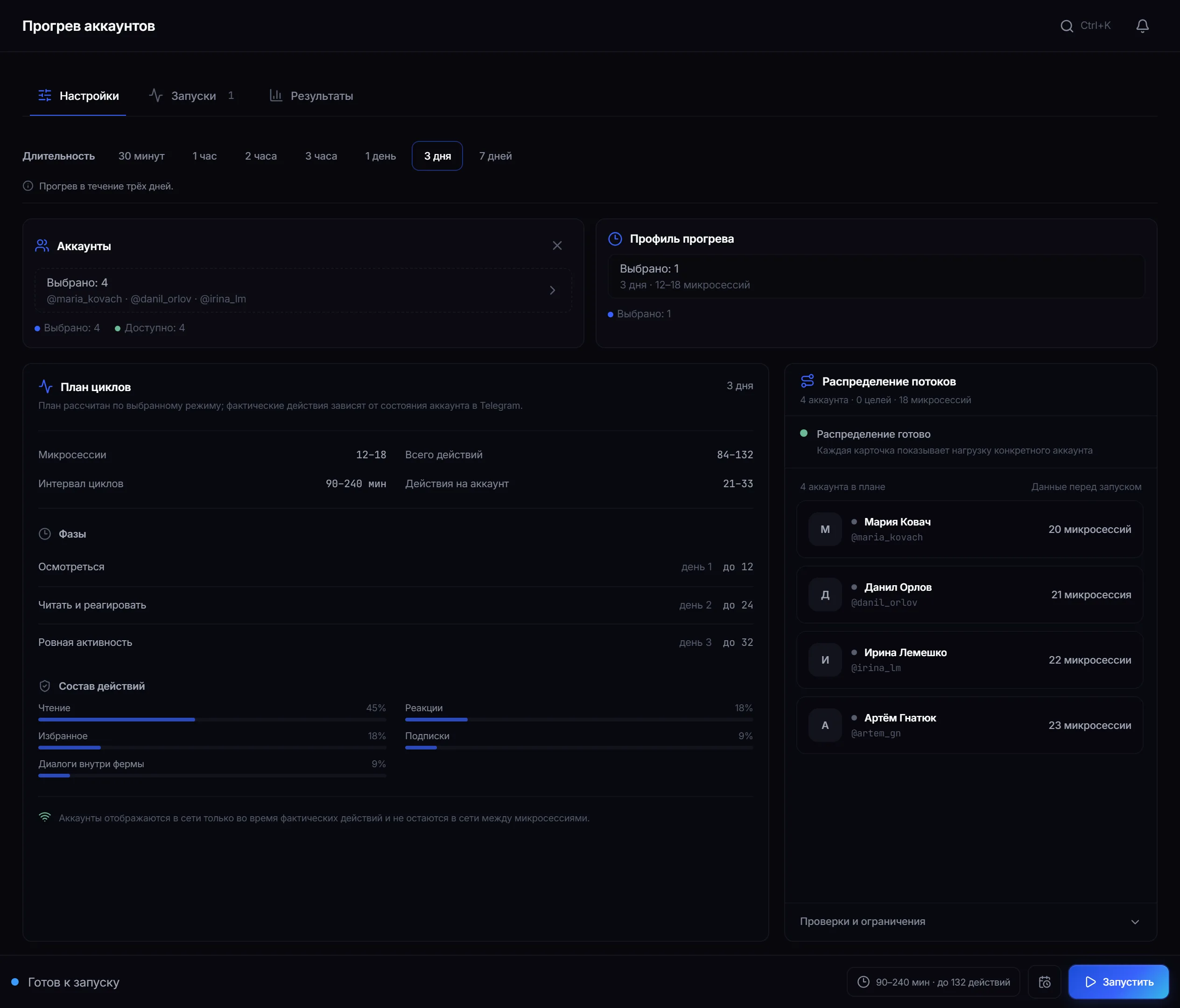
Warmup settings: duration, selected accounts and the cycle plan with phases and action mix. -
Check the cycle plan.
Before the start you can see how many micro-sessions and actions there will be (as a range, not an exact figure), the interval between cycles, the phases by day and the action mix — the share of reading, reactions, subscriptions and saved messages. The first day is the calmest, activity grows gradually after it.
-
Start it and watch.
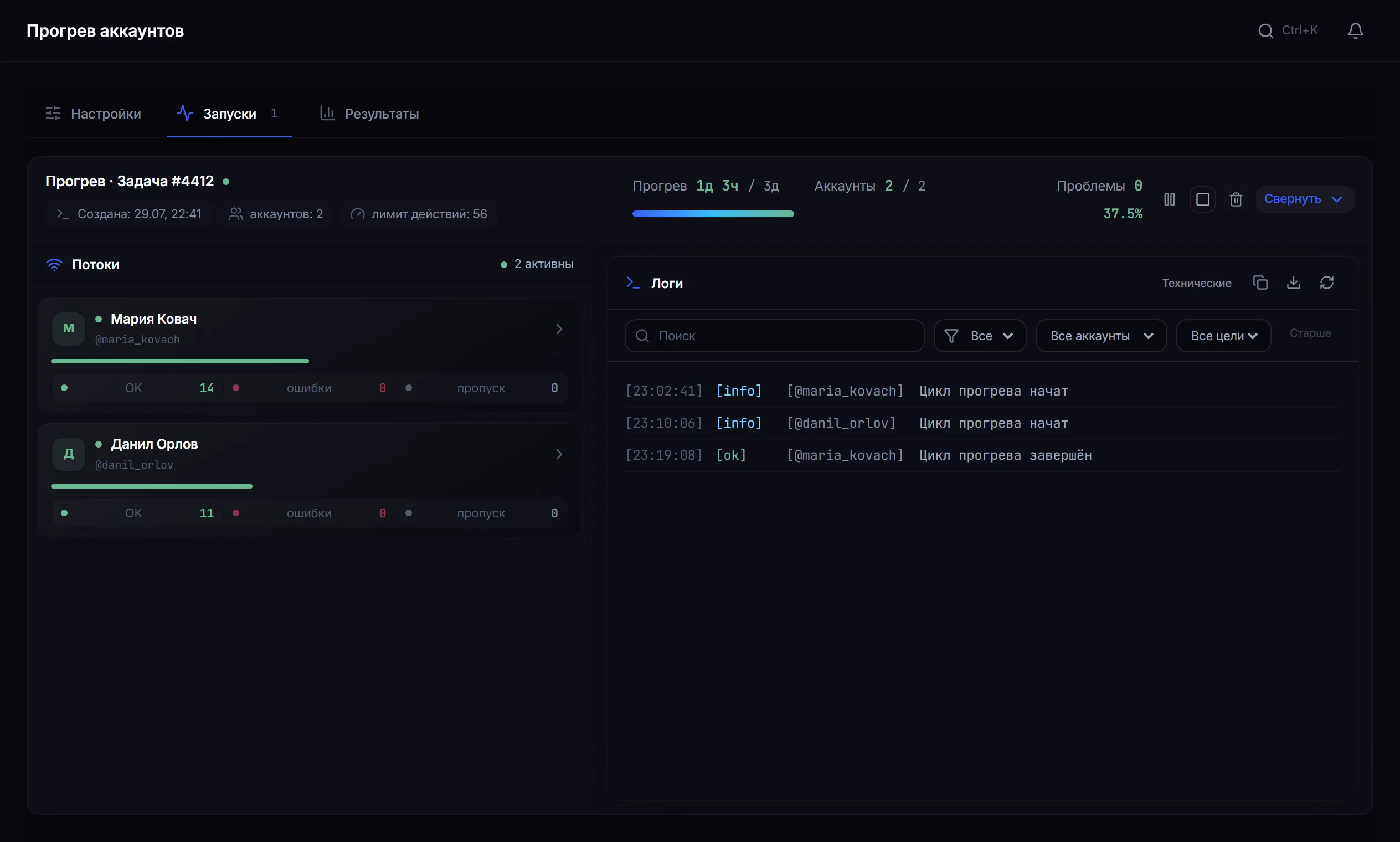
Runs: the warmup day, completed actions and the current state of each account.
What the account does during warmup
Section titled “What the account does during warmup”Warmup does not keep the account online for days. It splits the work into short micro-sessions: the account comes in, reads something, leaves a reaction, subscribes to a channel, saves a message — and leaves.
Several hours pass between sessions, and the account is offline the whole time, like a real person. The interval is not fixed: consecutive breaks differ from one another.
How long to warm up
Section titled “How long to warm up”A safe test run
Section titled “A safe test run”- Take one account with a proxy, free of tasks.
- Set the 30-minute preset and start.
- Wait for it to finish and read the log: actions should be spaced out, not back to back.
- Confirm the account was only online during micro-sessions.
This checks the account-and-proxy pairing without spending a day waiting.
Why an action may not have happened
Section titled “Why an action may not have happened”- Telegram asked to wait (FloodWait) — the account pauses and continues later.
- The action is not available to this account: for example, no suitable channels to subscribe to.
- The operator stopped the run.
- The account received a restriction — this is visible in its status.
What warmup does not do
Section titled “What warmup does not do”An account under restriction has to be checked and recovered first — warmup does not solve that.
Common mistakes
Section titled “Common mistakes”| Mistake | What happens |
|---|---|
| Expecting warmup to cure a restricted account | the restriction stays in place |
| Warmup without a proxy, or with one that drops | the account will not run |
| Duration that does not match the account’s age | half an hour is not enough for a fresh account |
Limits and platform rules
Section titled “Limits and platform rules”Warmup imitates ordinary activity but remains automation. Telegram’s rules take precedence over panel settings, and the decision to restrict an account is the platform’s, not the panel’s. There is no universally “safe” mode — see Security.
How long does warmup last? From 30 minutes to 7 days — your choice, seven days is the ceiling.
Can warmup be interrupted? Yes, at any moment. Completed actions remain, and it can be started again whenever you like.
Can other modules run during warmup? No. The account is busy. Warm up one part of the fleet while another works.
Will warmup remove a spam block? No. It builds a history of activity but does not undo restrictions Telegram has already applied.
How many accounts can be warmed at once? As many as your plan allows in concurrent threads: one account occupies one thread.
Will the account stay online the whole time? No. It appears online only for the micro-session and leaves in between.
Related guides
Section titled “Related guides”- How to set up proxies for Telegram accounts? — a warmup prerequisite
- How to run AI commenting in Telegram? — where warmed accounts go next
- How to run inviting in Telegram? — the task where warmup shows most
- Security
Official module page: Account warmup