TeleTraff: How to run messaging in Telegram?
Messaging sends a prepared message to a chosen source of recipients from your accounts. The text can be written as several variants, personalised with recipient data and accompanied by media.
The module overview lives on the messaging page.
What you need before launch
Section titled “What you need before launch”- Accounts with proxies, preferably warmed up — messaging loads an account harder than most modules.
- A permitted source of recipients: a collected dataset, contacts, open dialogues of the selected accounts, or available chats.
- Prepared text — ideally in several variants.
- A clear reason why these people expect to hear from you. This is not a formality, see responsible use.
How to launch
Section titled “How to launch”-
Select accounts and the source of recipients.
The source can be a dataset from parsers, contacts, open dialogues of the selected accounts, or available chats. The exact recipient list is resolved right before sending, so the final count may differ from the dataset size.
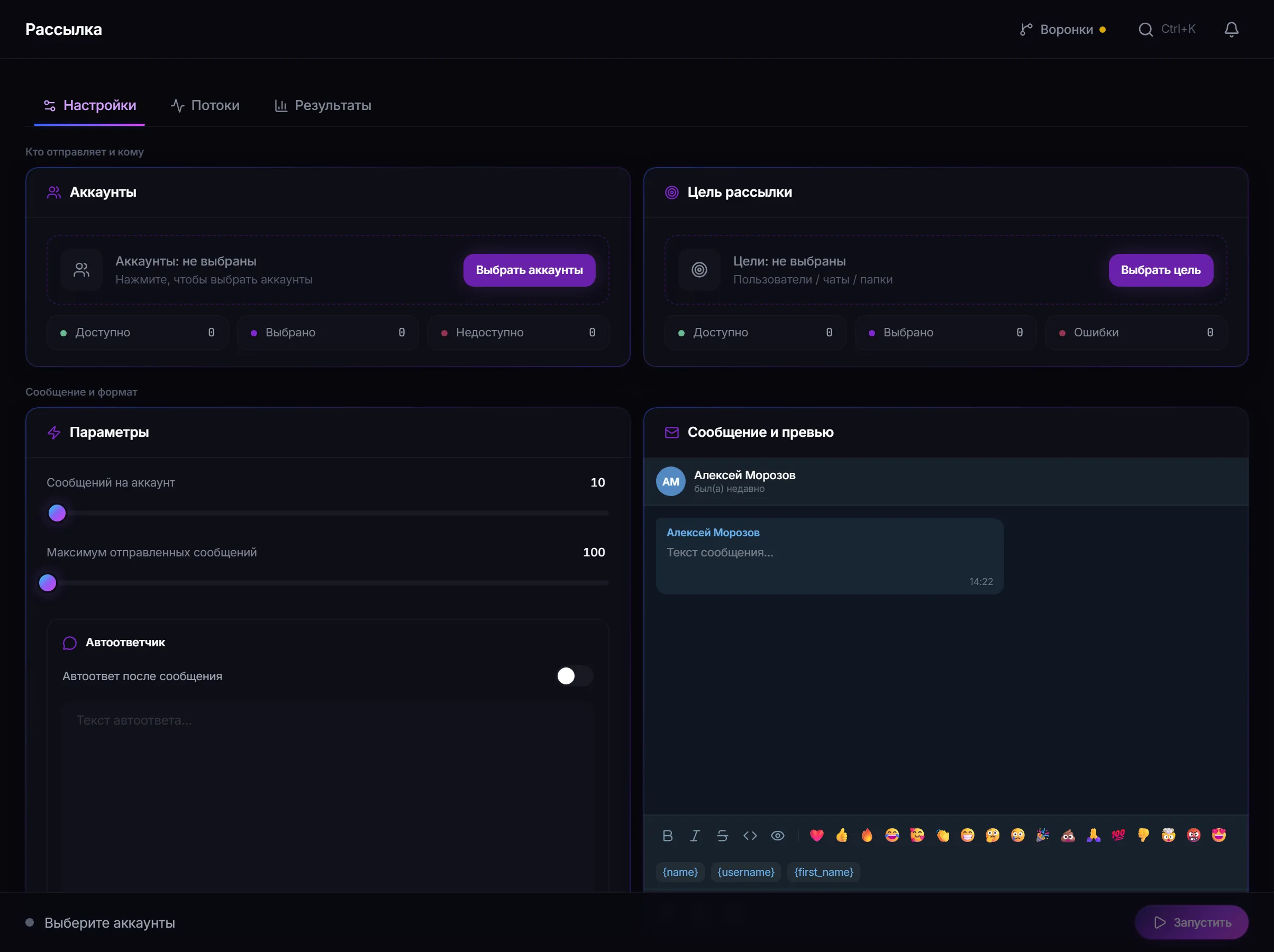
Messaging settings: recipient source, message variants, attachments and the per-account limit. -
Prepare the message variants.
There can be several. For each recipient one variant is chosen, then their data is inserted.
-
Set up personalisation and the link.
Recipient data is inserted into the text. The link is a separate field and goes into the message by substitution.
AI text rewriting is available: the model rewrites a variant while preserving names, personal data and the link.
-
Attach media if needed.
Photos and video, audio files, documents and recorded voice messages are supported.
-
Set limits and check the plan.
“Messages per account” sets the load on a single session. The panel builds a pre-launch plan showing how many recipients fall to each account.
-
Decide whether you need auto-reply.
The “reply to an incoming message” toggle lets the account continue a dialogue it started, after a confirmed send. The reply text is set in advance.
-
Start the job and review delivery statuses.
A safe test run
Section titled “A safe test run”- Take one warmed-up account and a dataset of a few of your own contacts who know about it in advance.
- Prepare two text variants and enable personalisation.
- Send, then check: data substitution worked, the link is in place, each person got a different variant.
- Look at the delivery statuses — you will see the result format before a real campaign.
Why a message may not arrive
Section titled “Why a message may not arrive”- The recipient has closed direct messages from people they do not know.
- The account hit its session limit or is waiting out a pause between sends.
- Telegram asked to wait (FloodWait) — the thread pauses.
- The recipient appeared in the dataset twice — no repeat send is performed.
- The account received a restriction and stopped in this job.
Status details are covered in troubleshooting.
Common mistakes
Section titled “Common mistakes”| Mistake | What happens |
|---|---|
| One text variant for the whole dataset | obvious to recipients and to anti-spam |
| Messaging from accounts that were not warmed up | restrictions arrive fastest |
| The whole volume on one account | the load is not spread across the fleet |
| A link in the very first message to a stranger | the most common trigger for complaints |
Limits, user consent and platform rules
Section titled “Limits, user consent and platform rules”Messaging is the most sensitive module in the panel because it writes to people directly.
- Write to those who expect to hear from you: customers, subscribers, members of your community.
- Presence in a collected dataset is not consent to receive messages.
- Leave a clear way to opt out, and honour it.
- Data-protection and marketing law applies regardless of what the panel can technically do.
- Telegram’s rules take precedence over job settings; bulk sending to strangers leads to complaints and account restrictions.
See Responsible use.
Can different people get different text? Yes. There can be several variants, and one is chosen per recipient.
What does AI rewriting do? It rewrites your variant while preserving names, personal data and the link.
Is the link preserved after rewriting? Yes, the link and personal data are preserved.
Can I attach a voice message? Yes, it can be recorded in the panel, and ready audio files can be attached too.
What is auto-reply? After a confirmed send the account can answer an incoming message with pre-set text, so the dialogue does not break off.
Why does the recipient count differ from the dataset size? The list is resolved before sending: duplicates and unreachable recipients are filtered out.
Related guides
Section titled “Related guides”- How to run a Telegram parser? — where to get a recipient dataset
- How to warm up Telegram accounts? — preparing accounts
- How to run AI chat in Telegram? — when you need a dialogue, not one message
- Responsible use
Official module page: Telegram messaging