TeleTraff: How to build an account pool?
A pool is a saved group of accounts you can select in a job as a whole, instead of rebuilding the selection every time.
The section overview lives on the account pools page.
Why it matters
Section titled “Why it matters”With a small fleet a selection takes a minute to assemble by hand. With dozens of accounts, manual assembly becomes a source of mistakes: an account that is warming up ends up in a job, or one with a different proxy profile does.
How to build one
Section titled “How to build one”-
Select accounts in the account manager.
Select by purpose: accounts for one type of task should have comparable preparation.
-
Save them as a pool and give it a clear name.
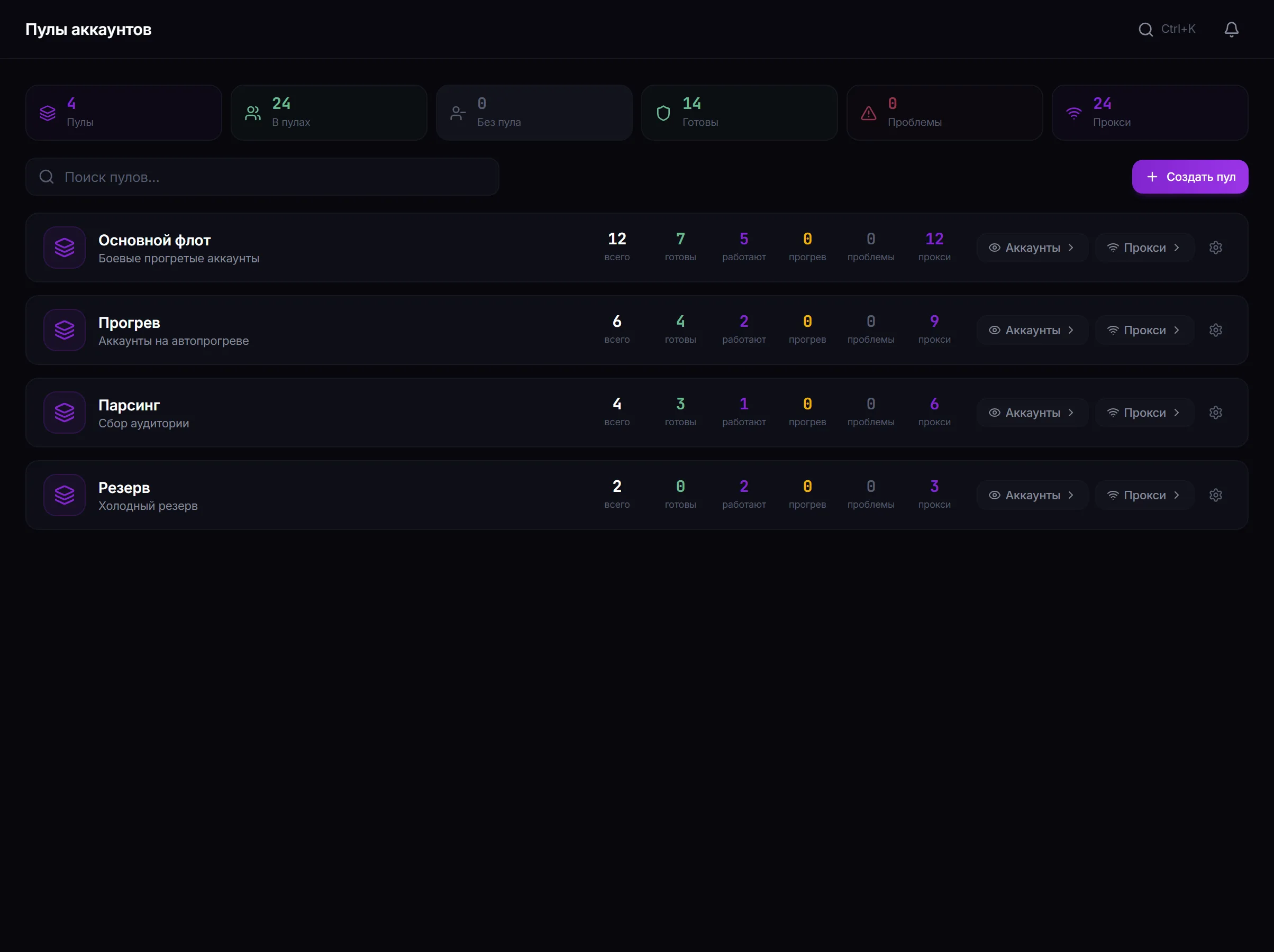
Account pools: saved groups and their composition for reuse in jobs. -
Select the pool when configuring a job instead of picking accounts by hand.
-
Keep the composition current. An account that has been restricted or sent to warmup should leave the working pool — otherwise it will keep entering jobs and being filtered out at the start.
How to split a fleet
Section titled “How to split a fleet”There is no universal scheme, but a working principle is to split by type of load:
| Pool | What it does |
|---|---|
| Commenters | AI commenting, AI chat |
| Inviters | inviting — accounts with rights in the target channels |
| Senders | messaging — the heaviest load |
| Reserve | warms up and waits to replace accounts that drop out |
Common mistakes
Section titled “Common mistakes”| Mistake | What happens |
|---|---|
| One pool for every task | loads of different types fall on the same accounts |
| A restricted account left in a working pool | it enters jobs and is filtered out at the start |
| A pool with no reserve | there is nobody to replace a lost account, and job volume falls |
Can an account belong to several pools? A pool’s composition is visible in the section, and one account may be needed by different scenarios. Just remember it runs one job at a time.
What happens to a pool if an account gets restricted? It stays in the composition but will not go into work. Composition is worth maintaining by hand.
Does a pool replace filters in the account manager? No. Filters are convenient for a one-off selection; a pool is for the one you need regularly.
Related guides
Section titled “Related guides”- How to manage Telegram accounts in TeleTraff? — where accounts come from
- How to set up proxies for Telegram accounts?
- How to warm up Telegram accounts? — preparing the reserve
Official section page: Account pools